A novel editor
Write on the page it will be printed on.
Writer sets your novel as you type, on real book pages, and keeps every chapter as a plain Markdown file in a folder you own.
Free and open source
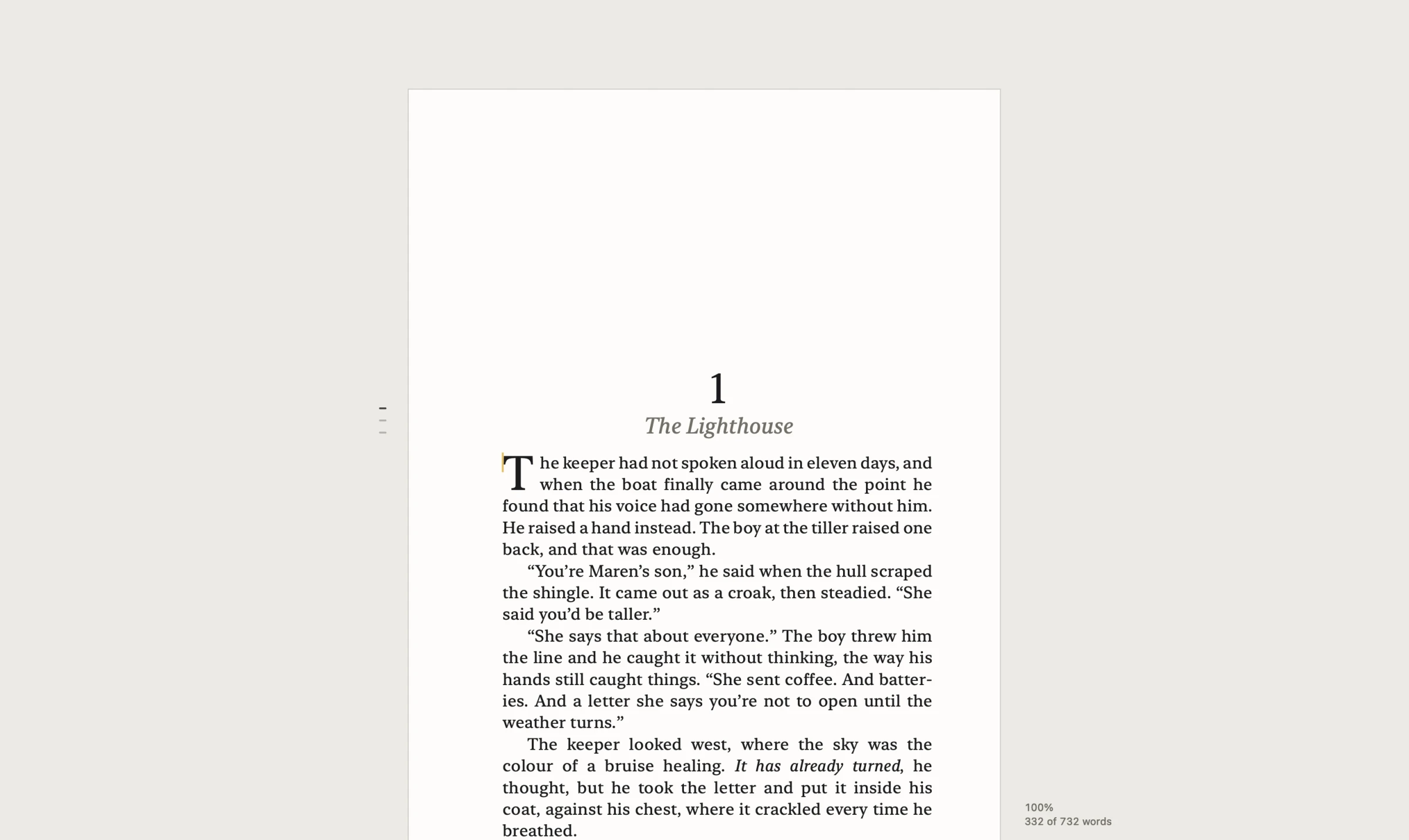
Real pages
Knuth–Plass line breaking, hyphenation, drop caps, widow and orphan control. The pages you write on are the pages the PDF prints.
Types like a book
Quotes curl, two hyphens become an em dash, asterisks make italics. Each one is its own undo step.
Out of the way
No toolbars, no status bar. The zoom and a word count sit quietly beside the page and fade while you type.
Zoom out. Zoom in.
Your writing lives on three levels, one pinch apart. Pinch out from a page to see the book, and from the book to see every book. Pinch in on anything to go back.
-
Level 1
The Page
Where you write: the book’s own pages, set as you type.
-
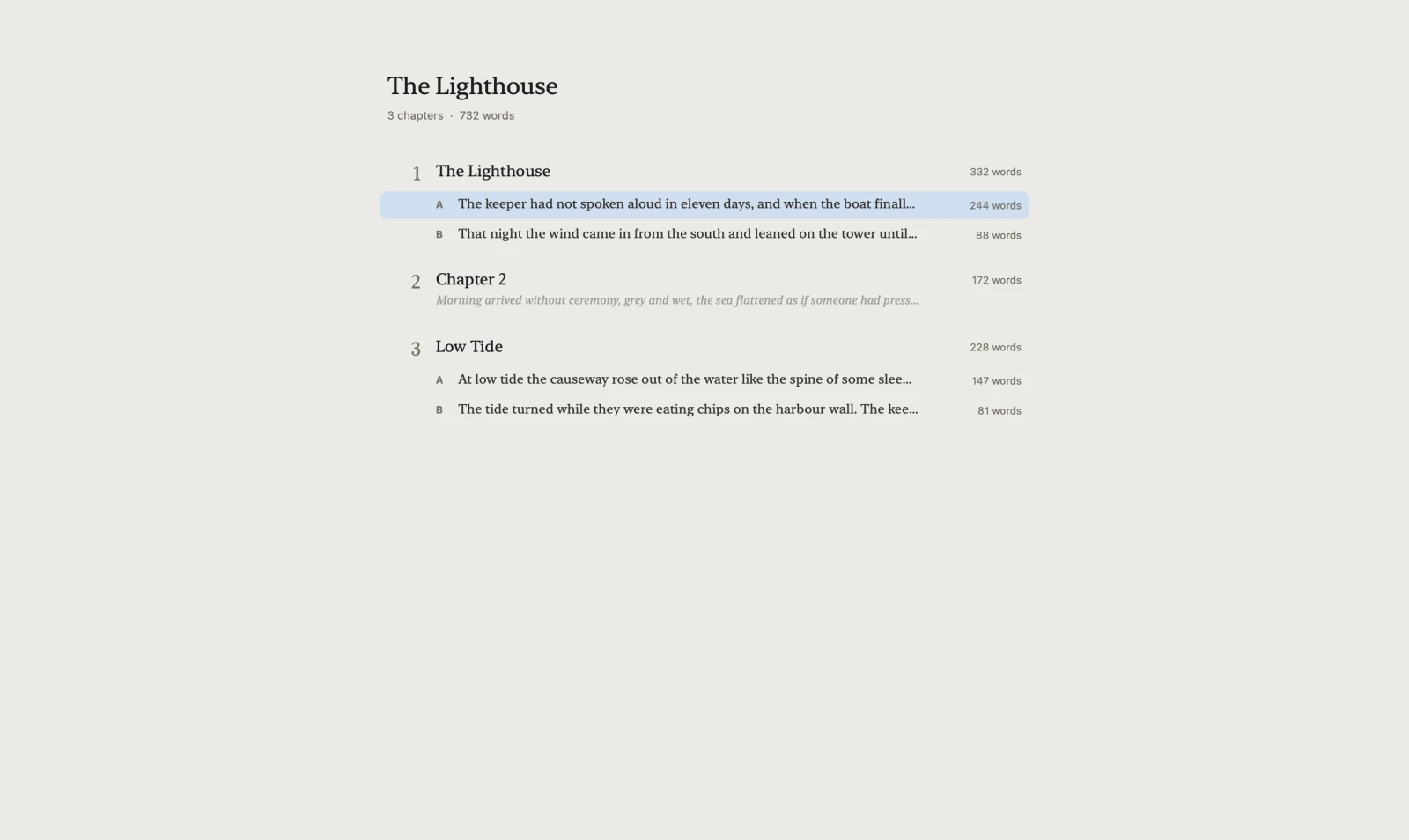
Level 2
The Outline
The whole book: every chapter and scene at a glance.
-
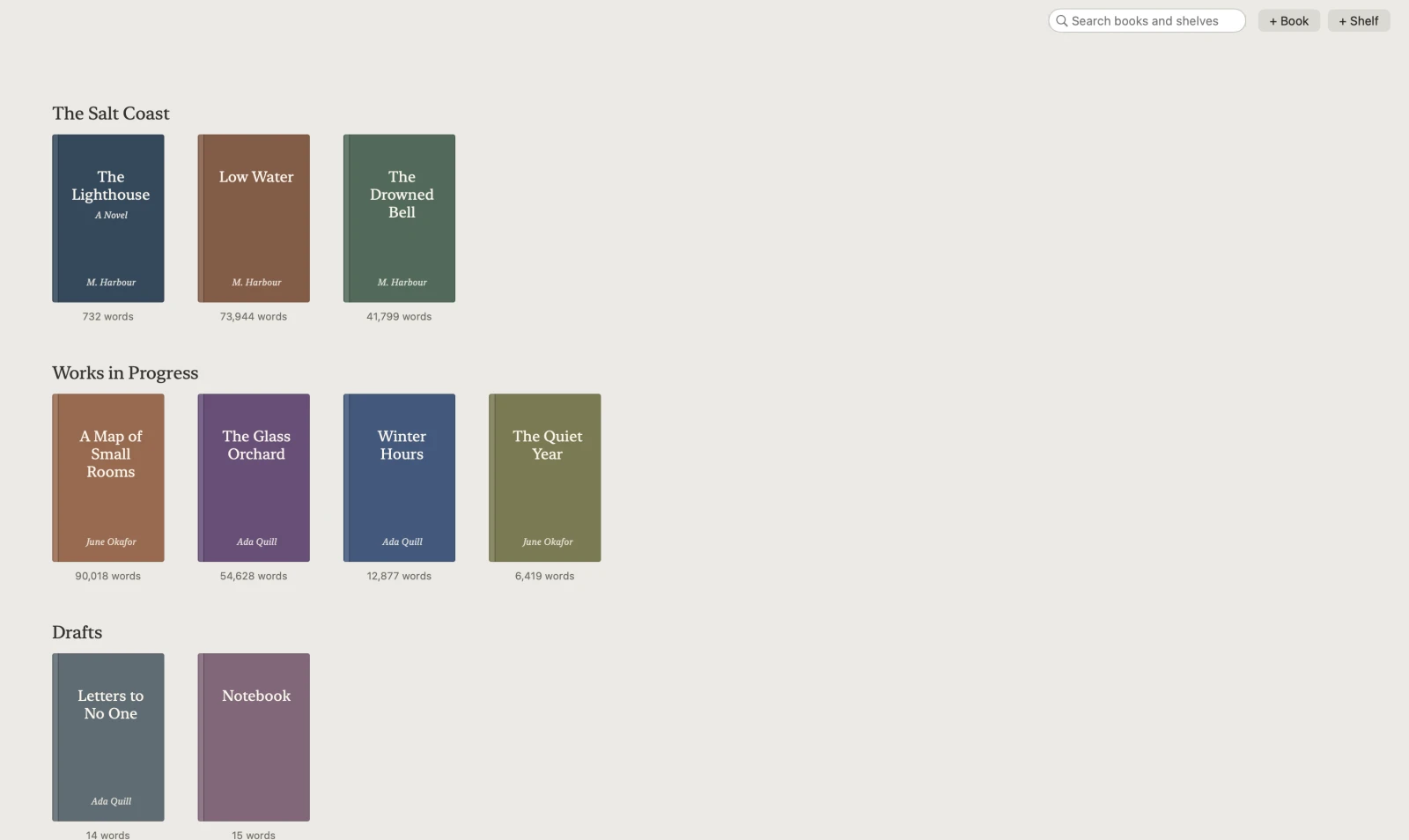
Level 3
The Shelf
Every book you’re writing, on shelves you arrange.
Level 2 · The Outline
Pinch out to see the whole book.
The page shrinks into the Outline: every chapter and its scenes, with first lines, word counts and notes. Click a row, or pinch in on it, to write there. Drag a chapter to move it.
Level 3 · The Shelf
Every book you’re writing, on one shelf.
Series, drafts and works in progress, each with its word count. Drag books between shelves, drop an image on a cover, or let Writer set one from the title. Click a cover, or pinch in on it, and the book opens where you left it.
Library/
  The Salt Coast/                a shelf
    The Lighthouse/              a book
      book.yaml                  title, author, typesetting
      001 The Lighthouse.md      a chapter
      002.md
      003 Low Tide.md
      notes.md                   notes on the text
      exports/                   PDFs and EPUBs
Plain Markdown. Folders you own.
A library is a folder of shelves, holding books, holding chapters. Edits save within a second, every write is atomic, and changes made in other apps show up live.

A quiet place to write a novel.
Download for Macbrew install --cask ariel-nathan/tap/writer